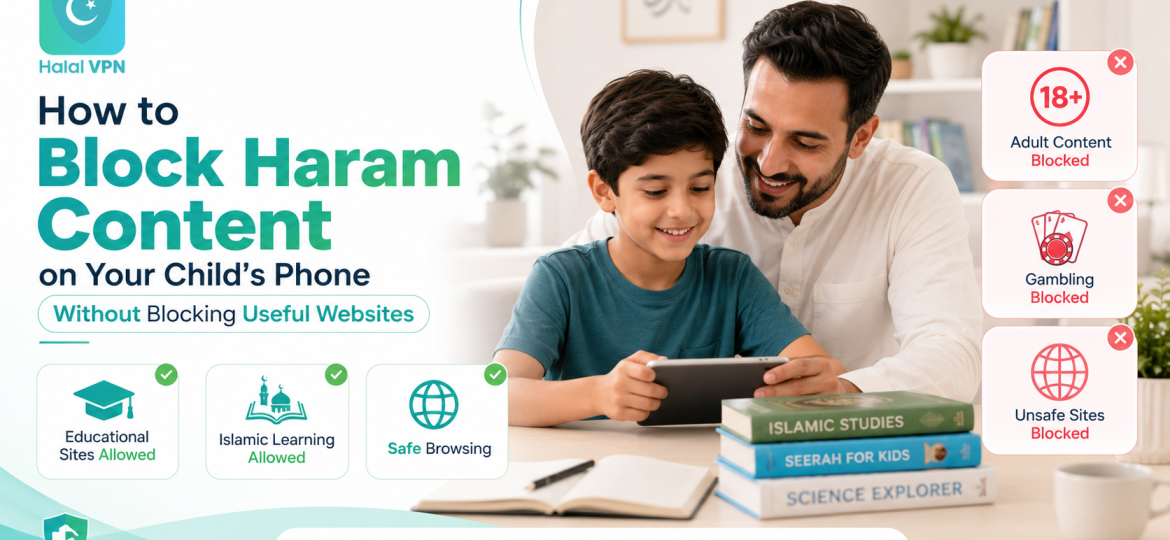
Blocking inappropriate content on a child’s phone sounds easy until the filter starts blocking the wrong things.
A parent wants to stop access to pornography, gambling, unsafe websites and other unwanted material. But the same child also needs the internet for school research, YouTube tutorials, Islamic learning, language practice and communication.
Then the problems begin.
The science website needed for homework is blocked.
An Islamic article discussing gambling is restricted because it contains the word “gambling.”
YouTube is either completely open or completely unavailable.
Eventually, parents face a frustrating choice:
Should I protect my child more aggressively, or give them enough internet access to learn?
Fortunately, it does not have to be an all-or-nothing decision.
Modern parental controls can combine category filtering, approved websites, individual blocklists, app restrictions and platform-specific controls. Google Family Link, for example, lets parents try to block explicit websites while separately allowing or blocking individual sites. Apple Screen Time similarly lets families limit adult websites while adding specific sites to allowed or restricted lists.
For Muslim families, the goal should be simple:
Block what you reasonably want to keep away while keeping useful, educational and beneficial parts of the internet available.
That is also the principle behind HalalVPN’s Haram Content Blocking & Filtering for Muslim Families: category-based protection combined with family profiles, custom allowlists and parent-selected controls rather than treating the entire internet as either permitted or blocked.
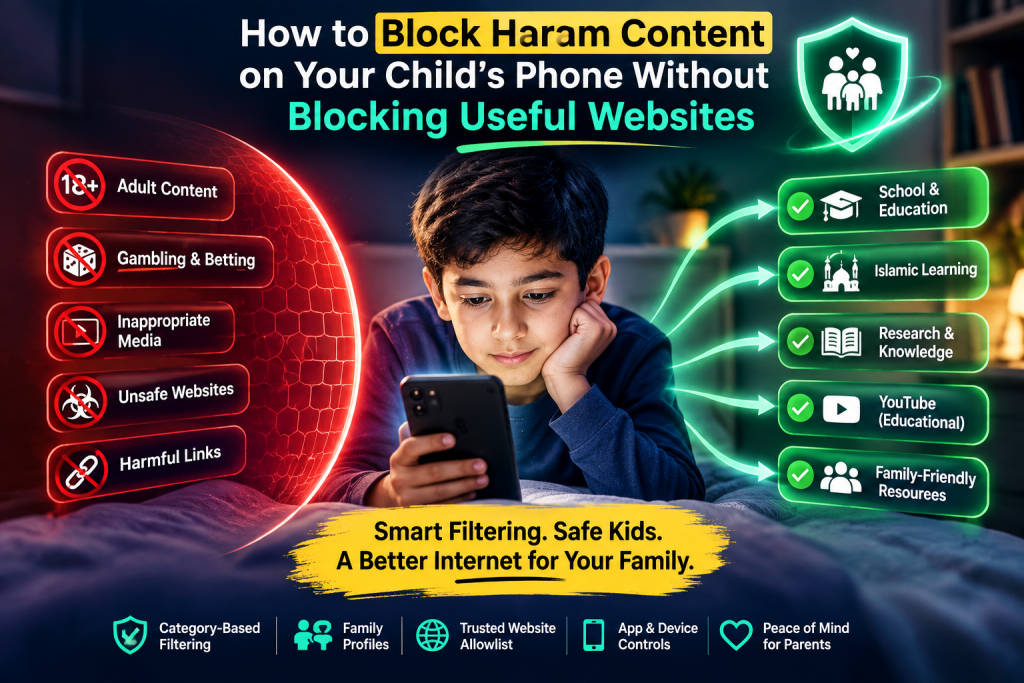
Why “Block Everything” Is Usually the Wrong Starting Point
Imagine your child searches:
“Why is gambling haram in Islam?”
A very basic keyword filter sees the word:
gambling
and blocks the page.
Now your child searches:
“Effects of alcohol on the human body.”
That may be legitimate school research.
But a crude filter notices “alcohol” and blocks that too.
This is one reason simple keyword filtering can create frustrating false positives.
The context of a word matters.
There is a major difference between:
- promoting gambling;
- explaining gambling addiction;
- discussing Islamic teachings about gambling.
Likewise, there is a difference between:
- selling alcohol;
- promoting alcohol;
- studying its health effects.
A useful family internet system should therefore aim to understand categories and context, while still giving parents the final say over which websites their children can access.
HalalVPN describes its Halal Filter as using AI-supported website analysis to classify websites into safety categories and then apply the protection rules selected by the parent or user. It also provides trusted website allowlists for educational, Islamic or family-approved sites that should remain accessible.
Step 1: Decide What You Actually Want to Block
Before installing multiple parental-control apps, write down your family’s priorities.
For example, a Muslim family may decide to restrict:
- pornography and sexually explicit websites;
- gambling and betting sites;
- alcohol or drug-selling websites;
- malicious and phishing sites;
- clearly inappropriate entertainment sites;
- certain social platforms for younger children.
Then create another list titled:
Must Remain Accessible
That could include:
- school websites;
- Google Classroom;
- educational resources;
- Qur’an and Islamic education websites;
- dictionaries;
- research websites;
- selected YouTube educational content;
- family-approved communication tools.
This simple distinction is important.
You are not trying to create a phone that cannot use the internet.
You are trying to create a phone that uses the internet within sensible boundaries.
Step 2: Use Category Filtering Instead of Blocking Individual Websites One by One
Manually blocking websites can work for specific problems.
But it becomes impossible to maintain as the main strategy.
The internet contains far too many websites, and new ones appear constantly.
A better foundation is category-based filtering.
Instead of telling the system:
Block website A, website B and website C.
You can select broader categories such as:
Adult content → Block
Gambling → Block
Malware → Block
Phishing → Block
Then individual exceptions can be handled separately.
HalalVPN’s current Haram Content Blocking & Filtering page describes categories including adult material, gambling, intoxicant-related pages, scams, phishing and malware, with rules controlled by the user or family.
This approach is much more scalable than manually discovering every inappropriate domain.
Step 3: Use an Allowlist for Important Websites
An allowlist is one of the most useful tools for preventing overblocking.
Suppose the filter blocks a legitimate Islamic education site.
Instead of turning the entire filtering system off, you add that specific website to your trusted list.
The result becomes:
General category protection remains ON.
Approved website remains accessible.
That is much safer than disabling the protection every time a false positive occurs.
HalalVPN’s cluster page specifically lists Trusted Website Allow Lists, allowing parents to make educational, Islamic or other family-approved websites accessible even when broader filtering is enabled.
A useful rule for parents
When a safe website is incorrectly blocked:
Don’t immediately weaken the entire filter.
Review the website first.
If you trust it, approve that website specifically.
Step 4: Set Up Google Family Link Properly on Android
For children using supported Android devices and supervised Google Accounts, Family Link provides an important second layer of protection.
Google currently offers parents Chrome and web controls that include:
- trying to block explicit websites;
- allowing or blocking individual sites;
- approving requests to access blocked pages;
- managing which apps children can use.
Google also makes an important point:
Its “Try to block explicit sites” setting attempts to identify explicit websites; it should not be treated as a perfect guarantee.
That is exactly why combining it with another filtering layer can be useful.
A practical Android setup
A parent could use:
Layer 1: Halal/content-category filtering
Layer 2: Google Family Link
Layer 3: Google SafeSearch
Layer 4: Supervised YouTube
Layer 5: App installation controls
Each layer solves a different part of the problem.
Don’t Confuse SafeSearch With Whole-Phone Protection
Google SafeSearch is helpful, but it primarily controls explicit results within Google Search.
Google specifically directs parents who want to manage access to explicit websites to the separate Chrome controls.
So:
SafeSearch ON ≠ entire phone protected.
A child can still use:
- apps;
- direct website links;
- YouTube;
- social media;
- embedded browsers.
SafeSearch should be one layer rather than the entire parental-control plan.
Step 5: Configure iPhone Screen Time Separately
Apple users have similar options through Screen Time.
Apple’s current parental controls allow parents to manage web content, applications, downloads, purchases, privacy settings and other restrictions.
For websites, Apple provides options such as:
- unrestricted web access;
- limiting adult websites;
- allowing only approved websites.
Parents using Limit Adult Websites can also manually add particular websites under allowed or restricted lists.
This gives families the same useful principle:
Broad protection + specific exceptions
If one safe educational website gets blocked, you do not necessarily need to remove adult-content filtering.
Add the legitimate site to the approved list instead.
Step 6: Don’t Block All of YouTube Just Because Some Videos Are Inappropriate
YouTube illustrates why selective protection matters.
The same platform may contain:
- Qur’an recitations;
- school lessons;
- coding tutorials;
- science experiments;
- language instruction;
- entertainment;
- mature or inappropriate content.
Blocking the entire platform may remove a valuable educational resource.
Leaving normal YouTube completely unrestricted may provide more access than parents want.
Google therefore offers supervised YouTube accounts that let parents select a content setting limiting what younger users can find and play.
Parents can also manage features including autoplay, watch history and search history for supervised experiences.
A better YouTube strategy
Instead of:
YouTube = Blocked
consider:
YouTube = Supervised
depending on the child’s age and maturity.
For younger children, parents can also consider YouTube Kids with more restrictive content settings.
Step 7: Control Apps Separately From Websites
This is another common mistake.
Parents spend hours configuring web filtering but allow unlimited app installation.
A child can then install:
- another browser;
- a social-media platform;
- a video app;
- a chat application;
- a game containing unrestricted web links.
Google Family Link lets parents limit or block apps available to a child on supported devices and apply Google Play content restrictions.
Apple similarly allows parents to restrict app installations, purchases and content through Screen Time.
For younger children, requiring approval for new apps can be much more manageable than discovering unfamiliar applications after they have already been installed.
Step 8: Use Different Settings for Different Ages
A six-year-old and a sixteen-year-old should not necessarily have identical internet access.
For a younger child, an appropriate setup might be:
Younger Child
- strong category filtering;
- only approved websites where practical;
- tightly controlled app installation;
- YouTube Kids or a limited supervised experience;
- no unrestricted social media.
For an older child or teenager:
Teenager
- category filtering;
- individual blocked/allowed sites;
- supervised or age-appropriate platform settings;
- reasonable app controls;
- more independence;
- ongoing conversations about online choices.
HalalVPN’s current cluster page describes age-based family profiles and different protection levels for younger children and teenagers, reflecting this same principle.
The objective should be age-appropriate protection, not maximum restriction forever.
Step 9: Create an Easy “Request Access” Process
Overblocking becomes a much bigger problem when children have no legitimate way to challenge a blocked page.
Suppose your child needs an educational website.
It gets blocked.
If the only answer is:
“No. The filter says it’s blocked.”
the child may eventually see the filtering system as unreasonable.
Instead, establish a simple rule:
“If a website needed for school or learning is blocked, show it to me. I’ll check it.”
Google Family Link already supports this type of workflow by allowing children to request access to a blocked website and parents to approve or reject the request.
This is much healthier than permanently loosening protection.
Step 10: Review False Positives Instead of Ignoring Them
No automated content filter is perfect.
Even HalalVPN’s own cluster page states that automated filtering cannot guarantee every harmful page will always be detected.
The reverse problem also exists:
A safe website may occasionally be classified incorrectly.
This is called a false positive.
Parents should periodically review:
- websites that were blocked;
- access requests;
- sites children regularly need;
- new educational resources.
If a useful site repeatedly gets caught by a broader rule, place it on the family’s trusted allowlist after verifying it.
The “Minimum Necessary Blocking” Principle
Parents can use a simple strategy:
Apply enough restriction to address the actual risk without unnecessarily removing legitimate access.
For example:
Problem
Your child repeatedly reaches gambling sites.
Better response
Block the gambling category.
Less useful response
Block the entire web browser.
Problem
A particular social app is inappropriate for your nine-year-old.
Better response
Restrict that application.
Less useful response
Disable all internet access needed for homework.
Problem
An adult-content filter blocks a legitimate school biology page.
Better response
Review and allow that page.
Less useful response
Turn adult-content filtering off completely.
This creates more precise protection.
How HalalVPN Can Fit Into a Layered Family Setup
HalalVPN should not be treated as a replacement for every control already built into Android, Apple, YouTube or other platforms.
A more realistic approach is to use it as an additional filtering and privacy layer.
According to its current Haram Content Blocking & Filtering page, HalalVPN combines AI-supported website classification with family profiles, selected content categories, custom allowlists/blocklists, website safety checks and VPN protection.
A family setup might therefore look like this:
Layer 1 — Halal Content Filtering
Reduce access to selected website categories such as adult material, gambling and other parent-selected content.
Layer 2 — Device Controls
Use Family Link or Apple Screen Time.
Layer 3 — Search Protection
Enable age-appropriate SafeSearch settings.
Layer 4 — Platform Controls
Configure YouTube and other apps separately.
Layer 5 — Allowlist
Keep school, educational and Islamic resources accessible.
Layer 6 — Parenting
Discuss what children see and why family boundaries exist.
No one layer needs to do everything.
That is the strength of the model.
A Practical Example
Suppose 12-year-old Adam uses his phone for:
- school research;
- Qur’an classes;
- YouTube science videos;
- messaging family;
- learning Arabic.
His parents also want to reduce access to:
- explicit content;
- gambling;
- alcohol-related commercial sites;
- unsafe downloads.
A badly configured system might:
Block YouTube.
Block websites containing words such as “alcohol.”
Block unfamiliar educational domains.
Block some Islamic discussions because they mention prohibited subjects.
Adam constantly asks his parents to turn filtering off.
Eventually, protection becomes frustrating for everyone.
A better setup would:
Enable the relevant harmful-content categories.
Keep adult and gambling website blocking active.
Use a trusted allowlist for Islamic and educational resources.
Use supervised YouTube rather than completely unrestricted YouTube.
Require approval for new apps.
Allow Adam to request access when a legitimate page is blocked.
That provides protection without making the phone useless.
What About Homework on Sensitive Topics?
This deserves special attention.
Children may legitimately need to research:
- drugs;
- alcohol;
- reproductive biology;
- gambling addiction;
- violence;
- online safety.
A filtering system cannot assume that every page discussing one of these subjects is promoting it.
This is where parents should look for contextual classification and an easy approval mechanism.
If a school page is blocked, review:
- Who published it?
- What is the purpose of the page?
- Is it educational or promotional?
- Is the content suitable for the child’s age?
Then allow the specific resource if appropriate.
Technology should support parental judgment—not remove it.
Five Mistakes That Cause Too Much Overblocking
1. Using “Approved Websites Only” for an Older Child Without Maintaining the List
This can be useful for young children but difficult for older students who regularly need new research resources.
2. Blocking by Individual Words
Context matters. A school lesson and a commercial gambling website can contain some of the same vocabulary.
3. Blocking Entire Platforms Too Quickly
Platforms such as YouTube contain both valuable and unwanted material. Supervised modes may sometimes provide a more balanced option.
4. Never Reviewing Blocked Requests
A filter cannot correct every classification mistake without feedback or exceptions.
5. Using One Setting for Every Child
Age, maturity and needs differ.
A Simple Family Filtering Checklist
Before handing a child their phone, check:
- Adult and explicit-content filtering is enabled.
- Gambling/betting restrictions match your family rules.
- Unsafe and malicious website protection is enabled.
- SafeSearch is configured.
- Device parental controls are active.
- New app installation requires appropriate supervision.
- YouTube has an age-appropriate setup.
- Important school websites are accessible.
- Trusted Islamic resources are accessible.
- There is a simple way for the child to request access.
- Parents review settings occasionally as the child gets older.
The objective is not the maximum number of restrictions.
It is the right restrictions in the right places.
Frequently Asked Questions
How can I block haram content on my child’s phone?
Use multiple layers rather than one filter. Start with category-based filtering, then add Android Family Link or Apple Screen Time, search filtering, app restrictions and platform-specific parental controls. HalalVPN’s Haram Content Blocking & Filtering system is designed as an additional faith-conscious filtering layer for selected website categories.
How do I block adult websites without blocking normal websites?
Use an adult-content category filter together with an allowlist. Both Google Family Link and Apple Screen Time provide ways to restrict explicit/adult websites while separately allowing or blocking specific websites.
Can I allow a website that my parental-control filter blocked?
Yes, depending on the filtering system. Family Link allows parents to approve individual websites, Apple provides website exception controls, and HalalVPN’s current feature set includes trusted website allowlists.
Should I block YouTube completely for my child?
Not necessarily. The appropriate choice depends on the child’s age and family rules. Google offers supervised YouTube experiences where parents can select content levels, and younger children can use YouTube Kids with parental settings.
Is Google SafeSearch enough to protect a child’s phone?
No. SafeSearch manages content within Google Search; Google separately directs parents to Chrome controls for explicit website access. Apps and platforms such as YouTube also have their own controls.
Can a halal content filter accidentally block useful content?
Any automated filtering system can make classification mistakes. Using trusted allowlists and reviewing blocked pages helps parents correct overly broad restrictions. HalalVPN itself notes that automated filtering cannot guarantee perfect detection.
What websites should Muslim parents allow for children?
There is no universal list. Parents should approve resources according to age, educational needs and family standards. School portals, trusted educational websites and verified Islamic learning resources are common examples.
Final Thoughts: Protection Should Guide Internet Use, Not Destroy Its Benefits
The internet is not only a source of inappropriate content.
It is also where children learn mathematics.
Study languages.
Research school projects.
Watch educational lessons.
Learn Qur’an.
Communicate with relatives.
Explore useful interests.
That is why the goal of Muslim parental controls should not simply be:
“Block as much as possible.”
A better goal is:
“Reduce harmful exposure while preserving beneficial access.”
Category filtering can establish broad boundaries.
Allowlists can rescue useful websites from false positives.
Family Link and Screen Time can manage the device.
Supervised YouTube can provide more appropriate video access.
And parents can make the final decision when technology gets the context wrong.
For families looking for a faith-conscious filtering layer, explore Haram Content Blocking & Filtering for Muslim Families to understand how HalalVPN approaches selected content categories, website classification, family profiles and trusted website access.
The strongest family internet is not one where everything is blocked.
It is one where harmful doors are harder to open while useful doors remain available.