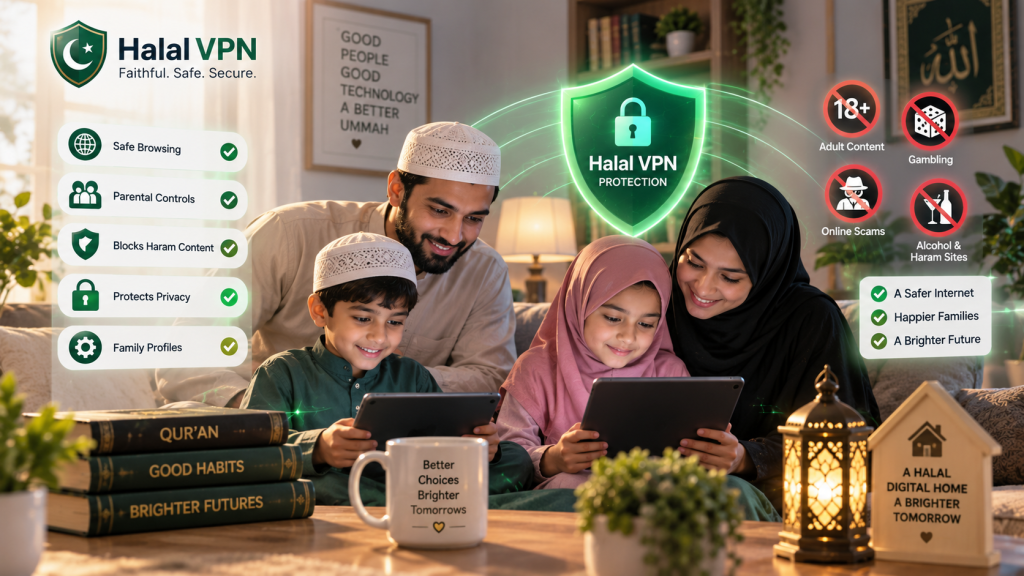
A halal digital home is not a house where every screen is banned.
It is a home where technology has boundaries.
Children can still use the internet for school, Qur’an learning, communication, creativity and entertainment, but parents deliberately decide what is appropriate, what needs supervision and what should be restricted.
That distinction matters.
Many families install one parental-control app and assume the job is finished. But modern internet safety involves much more than one setting. A child may move between a phone, tablet, laptop, YouTube, TikTok, messaging apps, online games and AI tools in the same day.
That means a safer Muslim digital home needs several layers working together.
HalalVPN’s Muslim Family & Parental Control Solutions reflects this layered approach by combining encrypted VPN protection, family profiles, website filtering, trusted website allowlists and safety checks rather than relying on a single blocklist.
This guide gives Muslim parents a practical checklist for building that environment without turning the home into a digital prison.
What Does a “Halal Digital Home” Actually Mean?
A halal digital home is not simply one where haram websites are blocked.
It is a household where technology is used intentionally.
That can include:
- protecting children from explicit content;
- restricting gambling and unsafe websites;
- controlling app downloads;
- setting reasonable screen-time boundaries;
- protecting personal information;
- supervising social media according to age;
- teaching children how to respond to strangers;
- keeping beneficial educational and Islamic resources accessible;
- creating family rules around technology;
- gradually teaching children self-control.
The goal is not maximum restriction.
The goal is better digital habits and safer access.
1. Start With Every Device in the House
Before choosing apps or filters, make a simple list.
Your children may use more internet-connected devices than you realize.
Check for:
- smartphones;
- tablets;
- laptops;
- desktop computers;
- smart TVs;
- gaming consoles;
- smartwatches;
- school devices;
- internet-connected speakers.
UNICEF recommends that parents review all devices children use, keep software updated and check privacy permissions because internet-connected devices can expose personal information in different ways.
Your first checklist
For every device, ask:
Who uses it?
Is it updated?
Does it have a child account?
Are parental controls enabled?
Can the child install apps without permission?
Is content filtering active?
A family safety system becomes much stronger once you know exactly which devices need protection.
2. Give Children Their Own Supervised Accounts
Children should not normally use the parent’s unrestricted account.
Separate child accounts make it easier to apply age-appropriate controls.
For Android
Google Family Link lets parents supervise eligible child accounts, manage apps, set screen-time limits and restrict mature Google Play content on supported devices.
For iPhone and iPad
Apple’s Family Sharing lets parents create or manage a child’s Apple Account and apply Screen Time and parental controls.
This creates one of the basic rules of a safer digital home:
Parent account for parents. Child account for children.
Otherwise, many age-based protections become harder to enforce.
3. Protect the Parent Settings
A parental-control system is only useful if the child cannot casually disable it.
Use:
- a strong Screen Time passcode on Apple devices;
- a parental PIN or Parent Access Code where supported on Android;
- account passwords children do not know.
Do not reuse:
1234
birthdays
phone-number endings
or the same PIN the child already knows for another device.
For supported Android devices, Google provides parental-control PIN protection for device restrictions.
4. Turn On Device-Level Parental Controls
The next layer manages how the device itself is used.
Android
Google Family Link can help parents:
- set daily screen limits;
- create bedtime or downtime routines;
- allow or block applications;
- control app permissions;
- restrict Google Play content.
iPhone
Apple Screen Time and Content & Privacy Restrictions can manage:
- downloads;
- purchases;
- apps;
- web content;
- communication;
- privacy settings;
- age ratings.
These controls form the device-management layer of your halal digital home.
5. Add Faith-Conscious Content Filtering
Device controls and content filters solve different problems.
A parental-control system may stop a child using a game after bedtime.
A content filter may stop access to an explicit or gambling website while browsing during the day.
HalalVPN describes its Halal Filter as using website classification and family-selected rules to help restrict categories such as:
- adult content;
- gambling;
- alcohol-related pages;
- violent material;
- phishing;
- scams;
- malware and unsafe websites.
This is where HalalVPN can serve as an additional layer rather than replacing Google Family Link or Apple Screen Time.
For a deeper explanation, internally link to Parental Controls vs Content Filters: What’s the Difference?.
6. Do Not Block Useful Knowledge Along With Harmful Content
Overblocking creates a different problem.
Imagine a student searches:
“Why is gambling haram?”
A crude system sees the word “gambling” and blocks the Islamic article.
Or the child needs to research addiction for a science assignment.
The answer is not to disable filtering completely.
Use a trusted allowlist.
HalalVPN supports trusted website allowlists so parents can keep educational, Islamic or family-approved resources available while broader restrictions remain active.
A healthy halal digital home should make it easy to access:
- school portals;
- educational websites;
- Qur’an resources;
- trusted Islamic learning platforms;
- dictionaries;
- useful research tools.
For more detail, internally link to How to Block Haram Content Without Blocking Useful Websites.
7. Turn On SafeSearch, but Know Its Limits
SafeSearch can reduce explicit results inside Google Search.
That is useful.
But it is not a whole-house internet filter.
A child may still receive content through:
- YouTube;
- TikTok;
- social apps;
- direct links;
- games;
- messaging;
- AI chatbots.
Google itself provides separate Chrome filtering, website restrictions and other Family Link settings because search filtering alone is not sufficient.
Use SafeSearch as one layer.
Do not treat it as complete protection.
8. Set Up YouTube Separately
YouTube needs its own safety plan.
It contains valuable material:
- school lessons;
- science tutorials;
- Qur’an recitations;
- Islamic lectures;
- language learning.
It also contains mature and inappropriate material.
Google offers supervised YouTube experiences where parents can select content settings for children and manage additional controls through Family Link or YouTube Family Center.
Depending on age, consider:
Younger children
YouTube Kids or a tightly supervised YouTube experience.
Older children
A supervised account with an appropriate content level.
Also review:
- autoplay;
- watch history;
- search history;
- channels;
- recommendations.
Internally link this section to YouTube Restrictions for Children: What Parents and Teens Need to Know.
9. Review TikTok and Social Media Independently
If a teenager is allowed to use TikTok, Instagram or similar platforms, their own safety settings matter.
TikTok, for example, offers Restricted Mode and Family Pairing. Its under-18 accounts also have age-dependent privacy defaults, including private-by-default accounts for younger teens.
Parents should review:
- account privacy;
- direct messages;
- comments;
- followers;
- location sharing;
- screen time;
- Restricted Mode;
- who can tag or mention the child.
Do not simply ask:
“Is TikTok installed?”
Ask:
“How is TikTok configured?”
10. Check Who Can Contact Your Children
Content safety and interaction safety are different.
A child can be browsing perfectly acceptable content and still receive an unsafe DM.
Review whether strangers can:
- follow them;
- send messages;
- invite them to chats;
- call them;
- send images;
- add them to gaming groups.
Teach children that an online profile does not prove someone’s real identity.
A simple family rule can be:
Unknown person + private request = pause and tell a parent.
For the full safety strategy, internally link to How to Protect Muslim Children From Online Strangers, DMs and Unsafe Chat Requests.
11. Turn On Sensitive-Content Protections
Operating systems increasingly include specific protection for sensitive images.
Apple’s Communication Safety can detect images or videos that may contain nudity on supported services, blur them and provide age-appropriate warnings. Apple says the analysis happens on the device.
Where available on your child’s devices, keep these safety features enabled.
But remember:
A protection inside one operating system does not automatically cover every third-party app.
This is why layered safety matters.
12. Control New App Installations
A carefully protected device can develop a huge safety gap if children can install any app they want.
For younger children, require parent involvement before new apps are added.
Google Family Link can manage apps on supervised Android devices.
Apple Family Sharing can use Ask to Buy so parents approve eligible downloads and purchases.
Also check whether the child has installed:
- alternative browsers;
- VPN apps;
- anonymous-chat apps;
- AI companion tools;
- messaging apps;
- unfamiliar games.
Do not assume every unfamiliar app is dangerous.
Research it first.
13. Review App Permissions
Children often tap Allow without thinking.
Review access to:
- location;
- camera;
- microphone;
- contacts;
- photos.
UNICEF specifically recommends minimizing unnecessary permissions and reviewing who can collect or access children’s personal data.
Ask:
Does this app genuinely need this permission?
If a simple game asks for precise location and microphone access, investigate why.
14. Protect Family Passwords and Accounts
Content filtering will not help if someone steals the family’s accounts.
Every halal digital home should have basic cybersecurity habits.
Use:
- strong unique passwords;
- multi-factor authentication where available;
- secure account recovery details;
- software updates.
UNICEF also recommends strong passwords, multifactor authentication and regular review of family privacy settings.
Children should learn one simple rule:
Never send anyone your password or verification code.
Not even someone claiming to be:
- a game administrator;
- TikTok support;
- a school employee;
- a friend.
15. Teach Children to Recognize Scams
Unsafe websites are not always explicit.
Some simply exist to steal information or money.
Children may encounter:
“Free game credits.”
“You won a prize.”
“Log in here to confirm your account.”
HalalVPN’s family page says its safety system includes signals for suspicious domains, phishing and fraudulent pages.
That technical protection is useful.
But children still need to learn:
- do not click suspicious links;
- do not share codes;
- do not trust urgent payment requests;
- ask an adult if an offer seems too good to be true.
16. Create Screen-Free Parts of the Day
A halal digital home is not only about harmful content.
It is also about balance.
A perfectly safe app can still consume too much time.
Decide which times should normally remain screen-light or screen-free.
For example:
- salah;
- family meals;
- homework;
- Qur’an study;
- bedtime;
- family visits.
Google Family Link supports daily limits and app limits, while Apple Screen Time supports schedules and restrictions.
The purpose should be to build habits rather than constantly punish children.
17. Do Not Use the Same Rules for Every Child
A seven-year-old and a seventeen-year-old have different needs.
Younger child
May need:
- stronger web filtering;
- approved apps only;
- limited social access;
- supervised YouTube;
- shorter screen-time limits.
Tween
May need:
- broader school access;
- controlled messaging;
- gradual app independence;
- strong privacy education.
Teenager
May need:
- wider research access;
- social platforms;
- communication;
- AI tools;
- increasing privacy.
HalalVPN’s family setup is designed around individual family profiles and age-appropriate rules rather than one universal setting for everyone.
The long-term goal should move from parental control toward self-control.
18. Talk About AI Before AI Becomes a Problem
Children increasingly encounter AI through:
- homework tools;
- search;
- chatbots;
- image generators;
- apps;
- games.
Traditional filters cannot necessarily evaluate every answer an AI chatbot generates.
HalalVPN’s article on content beyond websites explains why generative AI creates a different filtering challenge: AI can generate new content in real time rather than simply loading a known webpage.
Teach children:
AI can be wrong.
Do not share sensitive personal information.
Ask an adult about serious religious, medical or safety questions.
Do not treat AI as a private human friend.
Internally link this section to Haram Content Beyond Websites: Can Filters Protect Kids Inside Apps, Videos and AI Chatbots?
19. Do Not Rely on Browser History Alone
Checking browser history may seem reassuring.
But it does not show everything.
Children use:
- apps;
- in-app browsers;
- YouTube;
- social feeds;
- messaging;
- private browsing features.
A better monthly review asks:
Which apps are being used?
What platforms are installed?
Are parental controls still active?
What has the child actually encountered?
The conversation matters as much as the dashboard.
20. Create a “No Trouble for Telling Us” Rule
This may be the most important part of the entire checklist.
Tell children clearly:
If something inappropriate, frightening or strange appears online, you can tell us.
That includes:
- explicit content;
- stranger messages;
- scams;
- bullying;
- inappropriate images;
- threats.
UNICEF encourages parents to maintain open conversations so children feel able to approach a trusted adult when something online concerns them.
A child who thinks disclosure automatically means punishment may hide serious problems.
You want the opposite.
21. Make Family Digital Rules Visible
Instead of constantly inventing new rules, agree on a short family policy.
For example:
Our Family Digital Rules
- New apps require approval.
- Devices stay away during salah and meals.
- Personal information stays private.
- We don’t meet online-only friends secretly.
- Strange or explicit content is reported to a parent.
- Passwords and verification codes are never shared.
- School and beneficial learning come before entertainment.
- Parents explain restrictions rather than simply saying “because I said so.”
Keep the list short enough that children can actually remember it.
22. Test Your Filters Instead of Assuming They Work
Once parental controls and HalalVPN are configured, test them yourself.
Use harmless examples.
Check whether:
- blocked categories behave correctly;
- trusted school sites still open;
- alternate browsers create gaps;
- app restrictions work;
- SafeSearch remains active;
- YouTube uses the correct account.
HalalVPN’s own guidance acknowledges that automated filtering cannot perfectly understand every piece of modern online content, particularly inside third-party apps and video platforms.
Testing is better than assuming.
23. Review the Setup Every Month
The internet changes too quickly for “set it once and forget it.”
UNICEF recommends revisiting family privacy and safety settings periodically as technologies evolve.
Once a month, spend 10 to 15 minutes reviewing:
- new apps;
- new devices;
- screen-time patterns;
- parental-control settings;
- HalalVPN categories;
- trusted websites;
- social-media privacy;
- AI tools;
- communication permissions.
Sometimes your review should increase protection.
Sometimes it should remove a restriction because the child has become more responsible.
Both are signs that the system is working.
The Complete Halal Digital Home Checklist
Use this as a practical final audit.
Devices and Accounts
- Every family device is identified.
- Devices are updated.
- Children use their own accounts.
- Parent accounts remain private.
- Parental settings are passcode protected.
Device Controls
- Google Family Link or Apple Screen Time is configured where relevant.
- Daily screen limits make sense.
- Downtime/bedtime is set.
- App downloads are controlled.
- Purchases require appropriate approval.
Content Protection
- Explicit/adult content protection is active.
- Gambling restrictions match family rules.
- Scam/phishing protection is active.
- HalalVPN family filtering is configured where used.
- Useful Islamic and school resources are allowlisted.
Search and Video
- SafeSearch is configured.
- YouTube uses an age-appropriate supervised experience.
- Autoplay and recommendation settings have been reviewed.
Social and Communication
- Child accounts are private where appropriate.
- DM permissions are reviewed.
- Stranger-contact rules are understood.
- Location sharing is limited.
- Sensitive-content protections are enabled where available.
Privacy and Security
- App permissions are reviewed.
- Strong unique passwords are used.
- Multifactor authentication is enabled where suitable.
- Children know never to share verification codes.
Family Habits
- Screen-free times exist.
- Children know why restrictions exist.
- Children can report uncomfortable content safely.
- Settings are reviewed monthly.
- Rules change as children mature.
If several boxes remain unchecked, do not feel that you need to fix everything in one evening.
Start with the biggest risks.
Then build your layers.
Where HalalVPN Fits Into a Halal Digital Home
HalalVPN should be positioned as a protection layer, not as a replacement for parenting or every device control.
Its Muslim Family & Parental Control platform currently describes:
- encrypted VPN protection;
- AI-assisted website classification;
- individual family profiles;
- faith-conscious filtering categories;
- phishing and scam detection;
- malware and unsafe-site warnings;
- trusted website allowlists.
A practical setup can therefore look like:
Device controls → HalalVPN filtering → platform controls → privacy settings → family rules → ongoing conversations.
That is a stronger model than expecting one application to solve everything.
For the full product-focused overview, internally link to Muslim Family & Parental Control Solutions.
For filtering specifically, link to Haram Content Blocking & Filtering for Muslim Families.
Frequently Asked Questions
What is a halal digital home?
A halal digital home is a household where internet access is intentionally managed around safety, family values and age-appropriate use. It can include parental controls, faith-conscious content filtering, privacy protections and family rules.
Is parental control software enough?
Usually not by itself. Device controls can manage apps and screen time, but children may still encounter content inside social platforms, messaging apps and other environments. Layered protection is more realistic.
Can HalalVPN block all haram content?
HalalVPN is designed to help identify and restrict selected website categories, but no automated system can guarantee that every inappropriate piece of online content will always be detected, particularly inside third-party apps and platforms.
Should Muslim parents block YouTube completely?
Not necessarily. Google offers YouTube Kids and supervised YouTube experiences with parental controls, allowing families to choose age-appropriate access rather than automatically blocking the entire platform.
How often should parents review digital safety settings?
A monthly quick review is practical, with a more detailed review whenever a child gets a new device, installs a major new app or moves into a new age stage. UNICEF recommends revisiting settings regularly as platforms evolve.
Should teenagers have the same restrictions as young children?
Usually not. Protection should reflect age and maturity. Older children need greater independence alongside education about privacy, strangers, scams and self-control.
Does a halal digital home mean children should avoid technology?
No. The aim is to use technology beneficially while reducing harmful exposure and building responsible digital habits.
Final Thoughts: Build a Home Where Technology Has a Place
The healthiest digital home is not necessarily the one with the most restrictions.
It is the one where technology knows its place.
Children can learn online without having unlimited access.
They can use social platforms without sharing every part of their lives.
They can enjoy entertainment without letting it dominate every free moment.
They can use AI without assuming everything it says is true.
They can experience privacy while still having age-appropriate parental guidance.
And they can benefit from the internet without treating every corner of it as harmless.
For Muslim families, the strongest approach is not simply:
“Block the internet.”
It is:
Protect what needs protection. Allow what is beneficial. Teach children why the difference matters.
Use device parental controls.
Add faith-conscious filtering where it helps.
Protect privacy.
Configure individual platforms.
Create family rules.
Review them regularly.
And most importantly, maintain the kind of relationship where children know they can come to you when the digital world becomes confusing.
That is what turns parental controls into something more lasting:
digital tarbiyah.