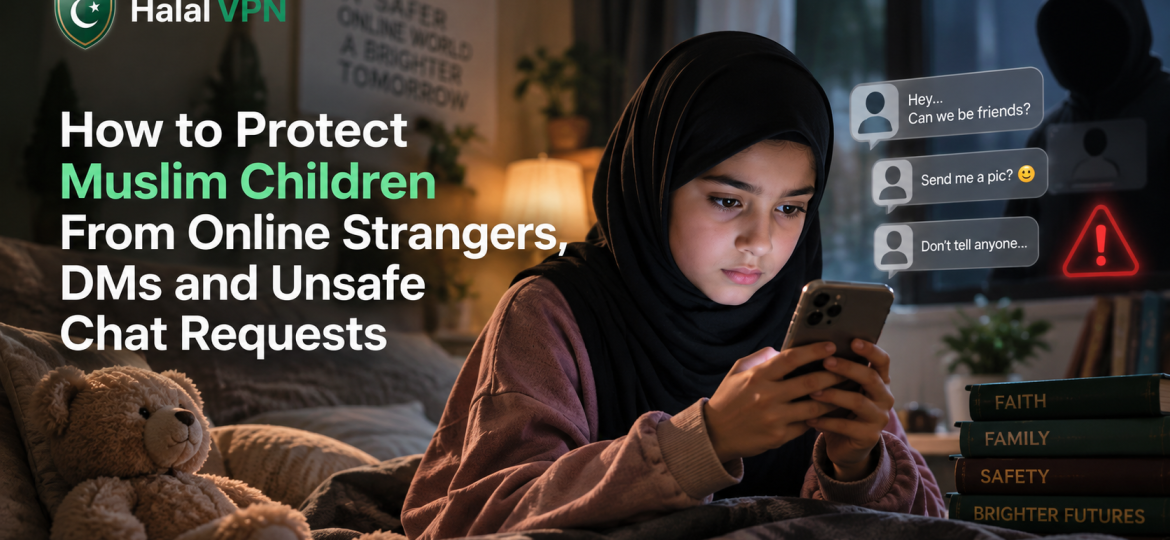
A child does not need to visit a suspicious website to meet a stranger online.
It can happen inside a game.
Someone sends a friend request.
A new follower replies to a story.
A stranger sends a direct message saying:
“Hey, you seem cool.”
Another person claims to be the same age.
Someone offers free game credits.
A new online “friend” gives constant compliments and slowly starts asking personal questions.
None of these interactions necessarily look dangerous at the beginning.
That is exactly why parents need to understand them.
For Muslim families, protecting children online is not about teaching them that every stranger is bad or monitoring every conversation they have. The goal is to help children develop privacy, haya, good judgment and clear boundaries, while also using the parental controls already available on their devices and apps.
This matters more than ever. The National Center for Missing & Exploited Children reported 1.4 million CyberTipline reports concerning online enticement in 2025, including more than 80,000 reports involving sextortion. Reporting levels were also affected by expanded reporting requirements introduced in the United States, so these figures should not be interpreted as the number of unique children harmed. They do, however, demonstrate how significant unsafe online contact has become.
The safest approach is not one magic app.
It is:
privacy settings + parental controls + content protection + child education + an open relationship with parents.
For the broader family-safety framework behind this approach, internally link readers to Muslim Family & Parental Control Solutions. HalalVPN combines family profiles, content filtering, website-risk checks and VPN protection as part of a wider Muslim-focused digital-safety system.
Why Online Strangers Are Different From Strangers in Real Life
Most children understand the traditional rule:
“Don’t go anywhere with a stranger.”
Online, the situation is less obvious.
A stranger may not look like a stranger.
They may have:
- a friendly profile picture;
- mutual followers;
- the same favourite game;
- the same football club;
- Islamic content on their profile;
- the same school-age appearance;
- dozens of normal-looking posts.
Children therefore need to understand an important principle:
A profile is not proof of identity.
Someone can claim to be 14 without being 14.
They can use somebody else’s photo.
They can pretend to attend a nearby school.
They can learn about your child’s interests from public posts before starting a conversation.
UNICEF advises parents to explain that not everyone children meet online is trustworthy and to help children understand who should and should not receive personal information such as their address, location and private details.

Where Do Unsafe Conversations Usually Begin?
Parents often imagine online strangers contacting children only through obviously dangerous websites.
In reality, contact can begin almost anywhere communication is available.
That includes:
- Instagram DMs;
- TikTok;
- Facebook or Messenger;
- WhatsApp;
- online games;
- Discord-style communities;
- email;
- group chats;
- livestream comments;
- gaming voice chat.
NCMEC notes that online enticement occurs across different types of services, including social media, messaging platforms and gaming environments.
That means blocking inappropriate websites alone is not enough.
This is closely related to the issue covered in HalalVPN’s article Haram Content Beyond Websites: Apps, Videos and AI Chatbots: modern child safety increasingly depends on what happens inside apps, not only which websites children visit.
What Does an Unsafe Chat Request Look Like?
There is no single pattern.
Some unsafe contact is obvious.
Other conversations can look completely ordinary for days or weeks.
Parents should teach children to recognize behaviour, not simply suspicious-looking usernames.
1. A Stranger Quickly Wants to Become Very Personal
A new person may begin with normal conversation and then quickly ask:
“Where do you live?”
“Which school do you go to?”
“Are your parents home?”
“What time are you usually alone?”
“What is your real name?”
One harmless question does not automatically mean someone is dangerous.
The concern is a pattern of unnecessary personal information gathering.
Children should know that online friends do not need:
- their home address;
- school name;
- daily routine;
- phone number;
- live location;
- passwords;
- family financial details.
2. They Ask to Move the Conversation Somewhere More Private
A conversation might begin publicly and then quickly move to:
- private DMs;
- disappearing-message apps;
- another platform;
- encrypted messaging;
- private video chat.
Again, privacy itself is not automatically suspicious.
But children should ask:
Why does this person want the conversation hidden?
An especially important warning sign is:
“Don’t tell your parents.”
A safe adult or genuine friend should not need to create secrecy between a child and their family.
3. They Give Excessive Compliments or Emotional Attention
Some unsafe relationships do not begin with threats.
They begin with kindness.
NCMEC’s educational material identifies rapport-building through compliments, liking posts and supportive behaviour among tactics seen in online enticement cases.
A person may tell a child:
“Nobody understands you like I do.”
“You’re much more mature than people your age.”
“Your parents are too strict.”
The concern is not that compliments are inherently dangerous.
It is when affection is gradually used to build dependence, secrecy or obligation.
4. They Claim to Be the Same Age but Avoid Verification
A person says:
“I’m 14 too.”
But they repeatedly avoid:
- normal video calls;
- consistent details about themselves;
- basic questions;
- any independent way of confirming who they are.
Children should not be expected to become online investigators.
The safer rule is simpler:
If someone is known only online, treat them as someone whose real identity is unconfirmed.
5. They Start Asking for Photos
This deserves special attention.
A conversation may start with an innocent request:
“Send me a selfie.”
Then:
“Send another one.”
Then the request becomes more personal.
NCMEC identifies requests for sexually explicit images, sexual conversation and the sending of unsolicited explicit material among tactics associated with online enticement.
Children should know in advance:
They never owe anyone a photo.
Not a stranger.
Not an online friend.
Not even someone threatening to stop being their friend.
What Is Sextortion?
Parents of teenagers should know this term.
Sextortion can happen when someone obtains or claims to have a sexual or intimate image of a young person and then threatens to:
- send it to parents;
- send it to classmates;
- post it publicly;
- share it with followers;
unless the child sends more images, money or follows other demands.
The initial person may have pretended to be another teenager.
They may have spent time building trust.
Or the situation may develop very quickly.
NCMEC includes sextortion within the broader category of online enticement and reported more than 80,000 CyberTipline reports concerning sextortion in 2025.
Parents should discuss this before a child ever faces it.
A child needs to know:
If someone threatens you with an image, come to us. You will not make the situation better by continuing to obey the person threatening you.
Fear and shame are powerful tools for offenders.
A child who believes their parents will react only with anger is less likely to ask for help.
Do Not Teach Children That Talking to a Stranger Means They Are Already in Trouble
This is one of the most important parenting points.
Suppose your teenager made a mistake.
They replied to a stranger.
They gave away too much personal information.
They sent a picture they now regret.
If your first response is:
“How could you be so stupid?”
you may accidentally teach them:
“Next time hide it better.”
NCMEC specifically recommends that parents remain calm and continue listening if a child discloses an uncomfortable online interaction.
A safer response begins with:
“Thank you for telling me. Show me what happened.”
Then solve the problem.
Accountability can come later.
Safety comes first.
What Should Children Do When a Stranger Sends a DM?
Give children a simple process they can actually remember.
STOP
Do not keep answering just because the person is being friendly.
CHECK
Do I genuinely know this person offline?
Does my family know them?
Why are they contacting me?
PROTECT
Do not share:
- address;
- school;
- location;
- password;
- verification code;
- private photos;
- family financial information.
BLOCK
If the interaction becomes suspicious, uncomfortable or inappropriate, block the account.
REPORT
Use the platform’s reporting system when the behaviour violates safety rules.
TELL
Tell a trusted adult, particularly when:
- sexual content is involved;
- there is blackmail;
- the person knows where the child lives;
- threats are made;
- someone asks to meet offline.
This sequence gives the child something concrete to do instead of simply hearing:
“Be careful online.”
Set Social Media Accounts to Private Where Appropriate
One of the simplest ways to reduce unwanted contact is reducing how easily strangers can access the child’s profile.
Review:
- who can follow them;
- who can message them;
- who can tag them;
- who can comment;
- whether their location is visible;
- whether their school appears in the bio.
UNICEF recommends reviewing privacy and security settings in the apps, games and platforms children use, including who can see their information and who can contact them.
For younger users in particular, a public profile usually creates unnecessary exposure.
Instagram: Use Teen Account Protections
Instagram has added significant protections for teen accounts.
Teen Accounts are placed into private-account settings by default, and their messaging settings restrict incoming messages so teens generally receive DMs only from people they already follow or are connected to. Teens under 16 need parental permission to make certain protections less restrictive.
Instagram has also added DM safety features that show information about unfamiliar accounts and make blocking and reporting easier. Meta says nudity protection is enabled by default for teens and can blur suspected nude images in messages.
Parents should still check
Do not assume defaults will always remain exactly as you want them.
Review:
- account privacy;
- message settings;
- blocked accounts;
- followers;
- tags and mentions;
- supervision settings.
Technology changes.
Reviewing once every few months is sensible.
Android: Use Family Link Contact Controls Where Supported
Google has expanded Family Link so parents can manage contacts on supported Android devices.
Parents can choose settings such as:
- anyone;
- parent-approved contacts and limited groups;
- only contacts approved by the parent.
Children can request new contacts for parental approval. However, Google notes an important limitation: these contact rules apply only to supported calling and messaging apps. If the child uses services such as WhatsApp or Google Chat, those apps may still allow communication outside the parent-managed list unless the parent manages the apps separately.
This is a perfect example of why device parental controls are helpful but not complete.
For a full Android setup, internally link to How to Set Up Android Parental Controls for Muslim Children.
Android Can Also Warn About Sensitive Images
Google provides sensitive-content warnings for supervised users in Google Messages.
When enabled, images that appear to contain nudity can be blurred, and the child receives a warning before viewing, sending or forwarding them.
That is useful.
But remember:
It protects a specific communication environment.
It does not mean every image arriving through every social app is automatically covered.
Each platform still needs to be reviewed separately.
iPhone: Turn On Communication Safety
Apple provides Communication Safety for child accounts.
When supported Apple services detect that a photo or video may contain nudity, the device can blur it and provide warnings, safety information and options such as contacting a trusted adult or blocking the sender. Apple says this analysis happens on-device rather than sending the image to Apple merely for detection.
On current supported software, Communication Safety is enabled by default for child accounts under 18, although parents should still verify the actual setting on the device.
For a complete iPhone setup, internally link this section to iPhone Parental Controls for Muslim Families.
Don’t Forget Gaming Chats
For many parents, “social media” means Instagram or TikTok.
For children, social interaction may happen just as often inside games.
A child may meet someone while:
- playing as teammates;
- trading virtual items;
- joining a clan;
- using voice chat;
- entering a public lobby.
The conversation then moves from gaming to private messaging.
This is why parents should know:
Does this game allow private chat?
Does it allow voice chat?
Can strangers send friend requests?
Can players send external links?
NCMEC emphasizes that online enticement can occur through gaming platforms as well as traditional social and messaging services.
If your child plays online games, occasionally play with them or ask them to show you how the communication features work.
That teaches more than simply reading the game’s age rating.
Watch for “Free Gift” and Gaming Scams
Not every stranger who contacts a child is seeking a sexual conversation.
Some are trying to steal:
- gaming accounts;
- passwords;
- money;
- virtual items.
A stranger may promise:
“Free Robux.”
“Free skins.”
“Join this giveaway.”
“Send me your verification code.”
These conversations can lead to phishing or account theft.
HalalVPN already covers this wider problem in Online Scams Targeting Muslim Communities: How to Recognize and Avoid Them. Its family-safety tools also describe warnings around phishing, suspicious domains and potentially fraudulent websites.
Teach one simple rule:
Passwords and verification codes are never shared in chat.
What Information Should Muslim Children Never Share With Online Strangers?
Parents should make the rules specific.
“Don’t share personal information” is too vague for many children.
Explain that personal information includes:
- full name;
- home address;
- school name;
- classroom or teacher details;
- live location;
- regular travel route;
- parents’ workplace;
- phone number;
- passwords;
- verification codes;
- passport or ID images;
- bank information;
- private family photos.
Also check the child’s existing profile.
Sometimes the child does not need to tell a stranger where they are.
Their profile already reveals it.
A school uniform in a photo.
A location tag.
A sports club.
A house number in the background.
A regular “walking home from school” story.
Privacy is not only what we say.
It is what our profiles reveal.
Teach Children About Location Sharing
Location information can be useful among trusted family members.
It should not automatically be public.
Review which apps can access:
- precise location;
- background location;
- live-location sharing.
UNICEF advises parents to review permissions such as location, camera, microphone, contacts and photos and to limit them where they are unnecessary.
A useful family question is:
“Why does this app need to know where you are?”
If there is no good answer, the permission probably does not need to remain enabled.
What If Someone Wants to Meet Your Child Offline?
This should be a firm boundary for younger children:
Do not arrange offline meetings with people known only online.
For older teens, parents may eventually face more complex situations involving genuine online communities or friendships.
Even then:
- the parent should know;
- identity should be properly verified;
- meetings should happen in appropriate public places;
- a trusted adult should be involved;
- the child should not travel secretly.
A person insisting:
“Don’t tell your parents because they won’t understand”
is creating exactly the kind of secrecy parents should teach children to recognize.
What Should Parents Do If a Child Receives a Sexual Message?
First, avoid panicking in front of the child.
Then:
- Stop the conversation.
- Do not send additional images or money.
- Preserve relevant evidence where appropriate.
- Block and report the account.
- Change passwords if account security may be compromised.
- Contact appropriate local authorities or child-protection services when exploitation, threats or sexual coercion are involved.
In the United States, suspected online sexual exploitation of a child can be reported to NCMEC’s CyberTipline, which shares relevant reports with appropriate law-enforcement agencies.
Outside the U.S., parents should use the appropriate police or child-protection reporting service in their own country.
If the child is in immediate danger, contact local emergency services.
If an Image Has Already Been Shared, Don’t Assume Everything Is Lost
A teenager who has shared an intimate image may believe:
“My life is over.”
That fear makes children vulnerable to further blackmail.
The parent needs to interrupt that belief quickly.
Do not negotiate endlessly with the person threatening the child.
Do not assume paying money will make them delete the image.
Report the abuse and seek appropriate professional help.
The child needs to understand that asking for help is more important than protecting themselves from embarrassment.
Muslim Parenting: Protect Haya Without Creating Shame
There is an important difference between haya and destructive shame.
Haya can teach a child:
“My body, privacy and interactions have value and boundaries.”
Destructive shame tells them:
“If anything inappropriate ever happens, I can never tell my parents.”
The second makes children easier to exploit.
A Muslim child should know that family values around modesty do not disappear when someone else behaves wrongly toward them.
If an adult sends your child something inappropriate, the child needs protection.
If a teenager makes a poor decision online, they still need a safe path back to their parents.
Tarbiyah should make children more willing to seek guidance, not more afraid to admit problems.
Create a Family Rule for DMs
Complicated rules are difficult to remember.
Try a simple one:
For younger children
Only chat with people your family knows.
For tweens
Unknown message = don’t reply until checked.
For teens
You may have more independence, but never share private images, location, money, passwords or agree to secret meetings with people whose identity you cannot verify.
As children grow, the rules should mature.
The goal is not permanent parental control.
The goal is independent judgment.
Use HalalVPN as One Part of the Safety Layer
HalalVPN can help with some risks around children’s online activity, but it should be clear about what it can and cannot do.
According to its current Muslim Family & Parental Control page, HalalVPN combines:
- encrypted VPN protection;
- AI-supported website classification;
- family profiles;
- adult-content filtering;
- gambling restrictions;
- scam and phishing detection;
- unsafe-website warnings;
- trusted website allowlists.
That can help prevent a child from following certain malicious, fraudulent or inappropriate links sent through chats.
But HalalVPN cannot decide whether every person messaging your child is trustworthy.
No VPN can.
That is why the product should be positioned as one layer within family safety, alongside device controls, platform settings and parental guidance.
For the broader setup, internally link to Muslim Family & Parental Control Solutions and Haram Content Blocking & Filtering for Muslim Families.
Don’t Secretly Read Every Message Unless There Is a Serious Safety Reason
Parents need oversight.
Children also need age-appropriate privacy.
Reading every harmless conversation between an older teenager and their friends can damage trust.
A better approach is often:
Younger children: stronger supervision.
Tweens: clear rules plus regular checks.
Older teens: more independence combined with defined safety boundaries.
Meta’s supervision tools, for example, allow parents to see people a teen has recently messaged on Instagram without reading the actual message content.
That is a useful model.
Safety does not always require total surveillance.
Warning Signs Parents Should Not Ignore
One behaviour by itself does not prove a child is in danger.
But sudden patterns deserve attention.
Consider checking in if your child:
- becomes unusually secretive with devices;
- receives unexplained gifts or money;
- suddenly uses several hidden accounts;
- becomes distressed after receiving messages;
- is extremely anxious when a particular person contacts them;
- starts staying awake late to chat privately;
- talks frequently about an older online friend;
- becomes frightened that private images will be exposed.
NCMEC identifies secrecy around devices and receiving gifts from unknown people among signs worth paying attention to in the context of online enticement.
Do not respond by immediately accusing the child.
Ask.
Listen.
Then investigate if necessary.
A 10-Minute Online Stranger Safety Check
Once a month, sit with your child and check:
Account Privacy
Is the account public?
Who can follow them?
DMs
Can strangers send requests?
Followers
Are there accounts neither of you recognizes?
Location
Is live or precise location being shared unnecessarily?
Profile Information
Does the bio reveal school, address, phone number or routine?
Games
Do current games include public voice or text chat?
Sensitive Content Safety
Are Apple’s Communication Safety or Google’s supported sensitive-image warnings enabled where appropriate?
Family Conversation
Ask:
“Has anyone online made you uncomfortable, asked for something private or told you not to tell us?”
That final question may catch something no parental-control dashboard ever will.
Frequently Asked Questions
How can I stop strangers messaging my child?
Use the strongest age-appropriate privacy and messaging settings on each platform. Instagram Teen Accounts, for example, restrict teens’ messaging so they generally receive DMs only from people they follow or are already connected with. Younger children should have stricter rules around unknown contacts.
Can Google Family Link stop strangers from texting my child?
On supported Android devices, Family Link can restrict calls and texts to parent-managed contacts in supported Google/Samsung communication apps. Google notes that these restrictions do not automatically apply to third-party services such as WhatsApp, so those apps require separate controls.
Can iPhone warn my child about inappropriate images?
Yes. Apple’s Communication Safety can blur images and videos that appear to contain nudity in supported services and provide safety guidance before the child views or sends them.
What should my child do if a stranger asks for a photo?
They should not send one simply because the person asks. If the request becomes sexual, threatening or secretive, stop responding, block/report the account and tell a trusted adult.
What if my teenager already sent an intimate photo?
Focus first on safety rather than punishment. Stop further contact, do not comply with blackmail demands, preserve relevant evidence, report the account and involve appropriate child-protection or law-enforcement services if threats or exploitation are involved.
Can HalalVPN block strangers from messaging children?
A VPN cannot determine whether every person in a private conversation is safe. HalalVPN can support the broader safety setup through website filtering, phishing and suspicious-site warnings, family profiles and VPN protection, but platform messaging controls and parental guidance are still necessary.
At what age should children be allowed to receive DMs?
There is no single age that suits every child. Consider maturity, the platform’s minimum age, privacy settings, the child’s ability to recognize manipulation and whether they will tell you when something feels wrong.
Final Thoughts: The Best Protection Is a Child Who Knows What to Do
Parents cannot personally screen every DM their child will ever receive.
And that should not be the long-term goal.
The stronger goal is raising children who know:
A profile can be fake.
Personal information stays private.
Nobody gets to demand photos.
Strangers do not get secret meetings.
Threats should be shown to an adult.
Blocking someone is not rude when a boundary has been crossed.
Asking parents for help is safer than trying to fix blackmail alone.
Use technology to support those lessons.
Use Family Link and Android controls where appropriate.
Use Screen Time and Communication Safety on Apple devices.
Use teen-safety settings inside social platforms.
Use HalalVPN to add faith-conscious website filtering, phishing protection and family profiles.
But keep communication at the centre.
Because eventually your child will use an app you have never heard of.
The name of the platform may change.
The safety principles should not.
For a complete Muslim-family setup, direct readers to Muslim Family & Parental Control Solutions and the related Haram Content Blocking & Filtering for Muslim Families cluster.