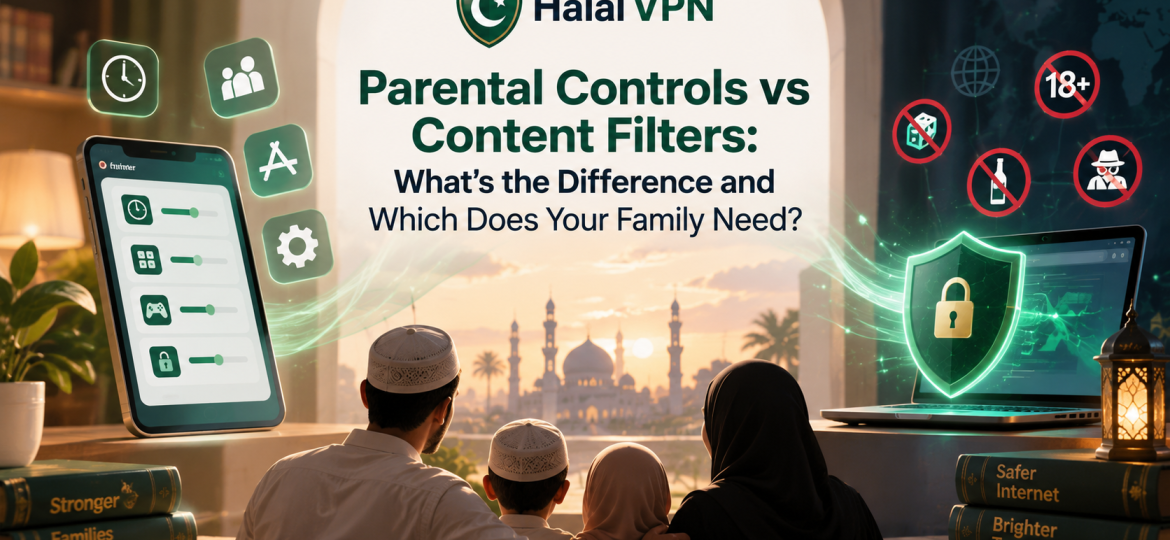
Parents often use the terms parental controls and content filters as if they mean the same thing.
They do not.
A parental control might stop your child from using TikTok after 9 PM.
A content filter might stop your child from opening a gambling website at 2 PM.
One manages how, when and where a child uses a device.
The other focuses more directly on what content can reach them.
For Muslim families, understanding this difference is especially useful because mainstream parental controls may help with screen time, app downloads and age restrictions, while a faith-conscious filter can add another layer for categories such as explicit material, gambling, intoxicant-related websites, scams and other content a family chooses to restrict.
The strongest setup is usually not:
Parental controls OR content filtering.
It is:
Parental controls + content filtering + platform settings + parental guidance.
HalalVPN’s Muslim Family & Parental Control Solutions follows this layered approach by combining VPN protection, family profiles, custom controls and AI-supported website filtering rather than treating one feature as a complete solution.

What Are Parental Controls?
Parental controls are tools that help parents manage a child’s device use and digital access.
Depending on the phone, tablet or service, they may let parents:
- set daily screen-time limits;
- schedule downtime;
- limit individual apps;
- block or approve app downloads;
- restrict purchases;
- apply age ratings;
- control communication;
- manage browser access;
- review certain device settings.
For example, Google Family Link lets parents set daily screen limits, manage individual apps, approve or block apps and apply Google Play and Chrome restrictions on supported devices.
Apple’s Screen Time similarly provides controls for app access, purchases, age ratings and other Content & Privacy Restrictions.
So parental controls answer questions such as:
How long can my child use the phone?
Can they install this app?
Should this game be available?
Which websites are allowed?
Can they use the device at bedtime?
That is broader than simple website filtering.
What Is a Content Filter?
A content filter focuses primarily on identifying and restricting unwanted content.
At a basic level, a filter may block known websites.
For example:
Adult website → blocked
Gambling website → blocked
Phishing website → blocked
Approved educational site → allowed
More advanced filtering systems may also classify websites by category rather than relying only on a manually maintained list of domains.
HalalVPN describes its Halal Filter as using AI-supported website analysis to categorize sites and apply rules selected by the parent or user. Its current family controls include categories covering adult material, gambling, intoxicant-related pages, scams, phishing and potentially unsafe websites.
This means content filtering answers a different question:
“What kind of content should be allowed to reach this device?”
Parental Controls vs Content Filters at a Glance
| Feature | Parental Controls | Content Filters |
|---|---|---|
| Daily screen-time limits | Yes | Usually no |
| Bedtime/Downtime | Yes | Usually no |
| App limits | Yes | Usually no |
| App download approval | Yes | No |
| Age ratings | Yes | Sometimes |
| Website blocking | Often | Yes |
| Adult-content blocking | Often basic | Core function |
| Gambling-site blocking | Varies | Can be category based |
| Phishing/malware protection | Limited or separate | Can be included |
| Trusted website allowlist | Often available | Often available |
| Faith-conscious categories | Usually not | Possible with specialized filters |
| Device management | Core function | Usually secondary |
| Controls what happens inside every app | No | No |
The final row is particularly important.
Neither parental controls nor website filters can perfectly control every piece of content inside every third-party app.
That is why parents also need individual platform controls.
A Simple Example: Why the Difference Matters
Imagine your 11-year-old has an Android phone.
You set:
- two hours of entertainment screen time;
- bedtime at 9 PM;
- app downloads requiring approval;
- YouTube supervised;
- age-appropriate Google Play settings.
That is a good parental-control setup.
But imagine the child opens Chrome at 3 PM and visits a gambling website.
Screen-time controls do not necessarily answer:
“Is this website appropriate according to our family values?”
That is where content filtering becomes important.
Now imagine the opposite.
You install an excellent adult and gambling content filter.
But your child spends six hours every night playing a perfectly allowed game.
The content filter is working.
The digital routine is not.
That is where parental controls help.
This is why families should avoid asking:
“Which one is better?”
The better question is:
“Which problem am I trying to solve?”
When Parental Controls Are Most Useful
Parental controls are particularly useful when your main concern involves behaviour and access management.
1. Screen Time Is Becoming Excessive
If your child spends too much time gaming, scrolling or watching videos, parental controls can help you establish:
- daily limits;
- app-specific limits;
- bedtime;
- school-time restrictions.
Google Family Link, for example, supports daily limits, downtime and limits for individual apps on supported Android devices.
2. Your Child Downloads Apps Without Permission
A website filter cannot normally stop a child from installing a new game or social app.
Device parental controls are the appropriate layer for that job.
Google Family Link can block or allow apps and manage app permissions on supported devices.
Apple Screen Time can restrict installing or deleting apps, in-app purchases and app access based on age ratings.
3. You Want Different Rules at Different Times
A family may want:
School apps available during homework.
Games limited after dinner.
Most apps unavailable at bedtime.
This is a parental-control problem, not primarily a content-filtering problem.
4. You Want Age-Based Device Rules
You may want stricter controls for an eight-year-old and more independence for a sixteen-year-old.
Again, that is primarily device and parental-control management.
When Content Filtering Becomes Essential
Content filtering becomes especially useful when the concern is not simply how much internet the child uses, but what they can reach while using it.
1. Adult and Explicit Websites
A content filter can help restrict websites categorized as sexually explicit or adult.
Google Chrome’s Family Link settings can try to block explicit websites, but Google itself states that no filter is perfect.
A specialized filtering layer can therefore add another level of protection.
2. Gambling and Betting
A mainstream device control may allow a browser because the browser itself is safe.
But the child could still use that browser to visit:
- casinos;
- betting platforms;
- lottery sites;
- gambling promotions.
HalalVPN’s current filtering system specifically includes gambling and betting categories selected by the user or parent.
3. Scam and Phishing Websites
Some dangerous content is not inappropriate in the traditional sense.
It is simply fraudulent.
A fake login page may look perfectly normal while attempting to steal:
- passwords;
- account information;
- payment details.
HalalVPN describes website-risk warnings for suspicious domains, phishing and potentially fraudulent pages.
4. Faith-Conscious Internet Boundaries
Mainstream parental-control systems are built for a broad audience.
A Muslim family may want additional control over categories such as:
- gambling;
- adult material;
- intoxicant-related websites;
- other family-selected content.
HalalVPN’s family system is specifically designed to let families select such categories rather than depending entirely on standard age ratings.
For the full filtering approach, internally link to Haram Content Blocking & Filtering for Muslim Families.
Why Basic Website Blocking Is Not Enough
It is important not to oversell content filters.
Modern internet use happens increasingly inside apps.
A child may encounter inappropriate content through:
- TikTok recommendations;
- YouTube videos;
- messaging;
- in-app browsers;
- games;
- AI chatbots.
A network-level or website filter might know that the child is using YouTube.
That does not automatically mean it can understand every individual frame of every YouTube video.
HalalVPN’s own article on filtering beyond websites makes this distinction clearly: domain-level controls, app-level controls and platform-level moderation operate at different layers.
That means a responsible family strategy should not promise:
“Install one filter and everything inside every app becomes safe.”
That is not realistic.
Parental Controls Can Also Include Some Filtering
The distinction is not completely black and white.
Modern parental-control platforms often contain some filtering features themselves.
For example, Family Link allows parents to choose between:
- allowing most sites while blocking specific ones;
- trying to block explicit sites;
- allowing only approved websites.
Parents can also manually approve or block websites.
So why would a family still consider a separate filtering layer?
Because the categories, detection technology and goals can differ.
Family Link’s web controls are primarily part of Google’s child-safety ecosystem.
HalalVPN’s filtering is designed specifically around faith-conscious browsing categories and Muslim family preferences.
They overlap.
But they are not identical.
Content Filters Can Also Include Parental Features
The same overlap happens in the other direction.
HalalVPN is not presented only as a website blacklist.
Its Family plan and Muslim Family page describe:
- family profiles;
- parental controls;
- kid and teen modes;
- device management;
- website filtering;
- VPN protection.
This is why product names can become confusing.
Instead of judging by the label “parental control” or “content filter,” examine the actual features.
Ask:
Does this manage time?
Does it manage apps?
Does it classify websites?
Can I create different child profiles?
Can I add trusted websites?
Does it protect against scams?
Those questions are much more useful than the product category printed on the website.
Which One Does a Younger Child Need?
For a younger child, I would generally recommend both layers.
A younger child usually needs stronger limits around:
- app installation;
- screen time;
- browsing;
- purchases;
- communication;
- content categories.
For example, a 7-year-old’s setup might include:
Parental controls
- daily device limit;
- bedtime;
- parent-approved apps;
- age-restricted app downloads;
- YouTube Kids or supervised video;
- restricted communication.
Content filtering
- adult websites blocked;
- gambling blocked;
- phishing/malware protection;
- parent-approved educational sites;
- Islamic learning websites added to the trusted list.
This gives parents much more control than either layer on its own.
What About Teenagers?
Teenagers are different.
They may legitimately need:
- broad web research;
- school apps;
- messaging;
- social platforms;
- AI tools;
- transport apps;
- banking or work-related services.
Using a child’s restrictive setup forever can lead to overblocking and frustration.
For a responsible teen, you might keep:
Content restrictions
Strong protection for clearly explicit, gambling and malicious websites.
Parental controls
Reasonable app or nighttime limits rather than constant lockdown.
Family expectations
Clear rules around:
- strangers;
- private messages;
- online purchases;
- inappropriate content;
- AI tools;
- privacy.
The objective should gradually move from:
control
toward:
self-control.
HalalVPN’s family page similarly emphasizes age-appropriate internet access and different settings for younger children and teens.
What About Photos and Messages?
This is an example of a risk that a normal website filter does not necessarily address.
A child could receive an inappropriate photo directly through messaging.
The browser was never involved.
Apple’s Communication Safety, for example, uses on-device machine learning to detect potentially nude photos or videos in supported services, blur them and provide safety guidance. Apple says it does not receive the images merely because the system detects nudity.
This is another reminder that family protection requires multiple tools.
A website filter does one job.
Communication Safety does another.
Screen Time does another.
Parents do another.
What Happens When a Filter Blocks Something Useful?
Filters can make mistakes.
Suppose your child needs an Islamic article titled:
“Why Gambling Is Haram in Islam.”
The article discusses gambling extensively because it is explaining why Muslims should avoid it.
A simplistic filter could misunderstand that.
That is why trusted website allowlists are important.
HalalVPN’s family system includes allowlisting so parents can keep educational and Islamic resources available while broader filtering remains active.
We cover that problem in detail in How to Block Haram Content Without Blocking Useful Websites.
The best solution to one incorrectly blocked page is usually not:
“Turn the filter off.”
It is:
“Review the page and allow the specific resource if it is appropriate.”
Does Your Family Need Both?
For most families with children using smartphones or tablets, yes, using both concepts makes sense.
Here is a practical way to decide.
You mainly need parental controls if:
- screen time is your biggest concern;
- children install apps without permission;
- bedtime phone use is a problem;
- purchases need supervision;
- you want to restrict individual apps.
You mainly need stronger content filtering if:
- your child can reach explicit sites;
- gambling websites concern you;
- you want faith-conscious web categories;
- you want website-risk or phishing warnings;
- basic browser filtering is not specific enough.
You probably need both if:
- your child has their own smartphone;
- they browse independently;
- they use social/video platforms;
- they install apps;
- you want both healthy digital habits and content protection.
For many Muslim households, this final situation is the most realistic one.
The Recommended Layered Setup
A strong family setup might look like this:
Layer 1: Device Parental Controls
Use:
- Apple Screen Time;
- Google Family Link;
- or the equivalent control on the child’s device.
Manage:
- app downloads;
- screen time;
- bedtime;
- purchases;
- age ratings.
Layer 2: Content Filtering
Use a suitable family filter such as HalalVPN to apply the website categories your household has chosen.
HalalVPN’s current family system combines website classification, trusted lists, risk warnings and VPN protection.
Layer 3: Search Controls
Keep SafeSearch or equivalent search protections enabled where appropriate.
Layer 4: Platform Controls
Configure:
- YouTube supervision;
- TikTok Family Pairing;
- other social-app privacy controls.
Layer 5: Communication Safety
Use operating-system protections for sensitive images and contact management where available.
Layer 6: Family Rules
Agree on:
- when devices stay away;
- which apps require permission;
- what children should do after seeing something disturbing;
- when they should tell a parent.
This layered model is much more realistic than searching for a single “best parental-control app.”
What HalalVPN Adds to the Family Setup
HalalVPN’s strongest role is not simply:
“Make the internet unavailable.”
Its Muslim Family & Parental Control page positions the platform around combining:
- VPN security;
- AI-supported site classification;
- family profiles;
- faith-conscious content categories;
- trusted website allowlists;
- phishing and unsafe-site warnings;
- parental controls.
That makes it a natural second layer alongside Apple or Google device controls.
For readers wanting the broader product overview, link this section directly to Muslim Family & Parental Control Solutions.
Don’t Turn Protection Into a Digital Prison
There is one final mistake worth avoiding.
More restrictions are not automatically better.
Children also need the internet for:
- school;
- Qur’an study;
- language learning;
- research;
- creativity;
- communication.
A safety system that blocks everything may create frustration without teaching responsible behaviour.
The stronger long-term strategy is:
block what genuinely needs blocking, limit what needs limits and explain why the boundaries exist.
Technology should support parenting.
It should not replace it.
Frequently Asked Questions
What is the difference between parental controls and content filters?
Parental controls mainly manage device use, including screen time, apps, downloads, purchases and access rules. Content filters focus more specifically on identifying and blocking unwanted websites or content categories.
Are parental controls the same as website filters?
Not exactly. Many parental-control systems include basic web filtering, but their main purpose is broader device and child-account management.
Can content filters control screen time?
Some products may combine both functions, but a traditional content filter primarily manages content rather than device usage schedules.
Does Google Family Link filter websites?
Yes. Family Link lets parents try to block explicit websites, allow only approved sites or manually block and approve individual sites in Chrome and some Android environments. Google states that no filtering system is perfect.
Does Apple Screen Time block websites?
Apple Screen Time includes Content & Privacy Restrictions and age-appropriate App Store and web controls. It can be combined with other family-safety features such as Communication Safety.
What makes a Muslim content filter different?
A Muslim-focused filter can give families choices around categories relevant to their values, such as adult material, gambling and intoxicants, rather than relying only on mainstream age classifications.
Can HalalVPN replace Family Link or Screen Time?
It is more useful as an additional layer. Family Link and Screen Time manage important device-level features, while HalalVPN adds faith-conscious web filtering, VPN protection, family profiles and website-risk tools.
Can a content filter protect children inside TikTok or YouTube?
Only partially. Website-level filtering cannot reliably understand every piece of content delivered inside every third-party app. Platform controls such as supervised YouTube or TikTok Family Pairing should also be used. HalalVPN’s own guidance recommends thinking in layers rather than depending on one filter.
Final Thoughts: You Don’t Have to Choose One
Parental controls and content filters solve different problems.
Parental controls manage the child’s relationship with the device.
They answer questions such as:
How long?
Which apps?
What time?
Who can install?
What can be purchased?
Content filters manage more of the child’s relationship with online content.
They answer:
Which websites?
Which categories?
Which harmful domains?
Which trusted sites should remain accessible?
For Muslim families, using these layers together can provide a much more balanced approach.
Use Apple Screen Time or Google Family Link to manage the device.
Use platform controls for YouTube, TikTok and other apps.
Add a faith-conscious filtering layer such as HalalVPN where it matches your family’s needs.
And keep explaining the reasons behind those boundaries.
Because the goal is not simply to raise a child who cannot open the wrong website.
It is to raise someone who eventually understands why they should choose the better path even when every website is available.